

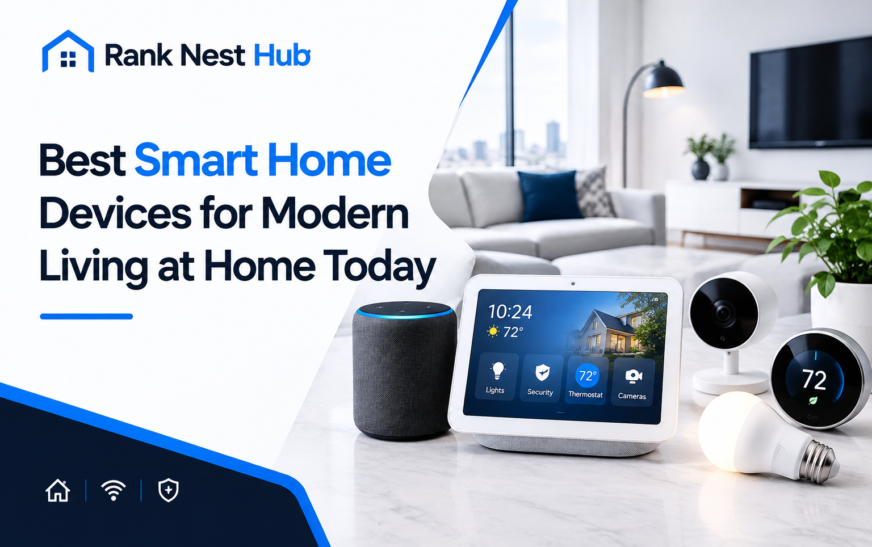
Modern smart home devices make it easier to manage lighting, security, heating and everyday household tasks. From controlling lights with your phone to checking who is at the front door while you are away, connected technology can make a home more convenient, comfortable and easier to manage.
However, not every gadget is worth buying. The most useful smart home setup is one that solves real problems, works reliably and fits your budget.
In this guide, Rank Nest Hub explores the main device categories, practical examples, compatibility considerations and what to check before investing in a connected home.
What Are Smart Home Devices?
Smart home devices are internet-connected or locally connected products that allow you to monitor, control or automate household functions using a mobile app, voice assistant, sensor or smart home hub.
For example, a smart bulb can switch on at a scheduled time, while a compatible thermostat can adjust heating according to your chosen schedule.
Common examples include:
- Smart speakers and displays
- Smart bulbs and switches
- Security cameras and video doorbells
- Smart thermostats and radiator controls
- Smart plugs and energy monitors
- Robot vacuum cleaners
- Smart locks and door sensors
The key benefit is that these devices can help people manage everyday activities with less manual effort.
Best Smart Home Devices for Different Household Needs
There is no single device that suits every home. The right choice depends on what you want to improve, how much you want to spend and which technology you already use.
1. Smart Speakers and Displays
Best for voice control and everyday routines
Smart speakers let you play music, set timers, ask questions and control compatible devices by voice. Smart displays add a screen for information, video calls and camera feeds.
Examples include Amazon Echo, Google Nest and Apple HomePod products. Choose according to the voice assistant and ecosystem you intend to use.
2. Smart Lighting
Best for convenience and atmosphere
Smart bulbs and switches can adjust brightness, set schedules and create different lighting scenes. For instance, you could use softer lighting in the evening and brighter lighting while working.
Philips Hue and TP-Link Tapo offer smart lighting options. Check bulb fittings, dimmer compatibility and whether a hub is required.
3. Smart Security Cameras and Doorbells
Best for checking entrances and receiving alerts
Connected cameras and video doorbells can send motion alerts and allow you to view a live feed remotely. Some offer two-way audio, person detection or recorded video.
Consider Ring and Eufy. Before buying, check storage options, subscription requirements, night vision and privacy controls.
4. Smart Thermostats and Heating Controls
Best for managing heating schedules
Smart thermostats let you adjust compatible heating systems through an app or schedule. Some systems support room-by-room control or presence-based adjustments.
Options include tado° and Google Nest Learning Thermostat. Compatibility with your boiler, wiring and heating zones matters more than the number of features.
5. Smart Plugs and Energy Monitors
Best for simple automation
Smart plugs can schedule or remotely switch compatible plug-in appliances. Some models also measure electricity use, helping you identify how much energy a connected device consumes.
They are often an accessible starting point. However, use only appliances that are suitable for the plug’s rated load, and never use a smart plug to control equipment that requires uninterrupted power or special safety controls.
6. Robot Vacuum Cleaners
Best for reducing routine cleaning
Robot vacuums can clean floors on a schedule, with some models also offering mopping, room mapping and automatic docking.
They may be helpful in busy households, but performance depends on floor type, furniture, cables, pet hair and maintenance. Check replacement parts and whether advanced mapping features require an app or cloud account.
7. Smart Locks and Entry Sensors
Best for managing access
Compatible smart locks can offer app-based access, temporary codes or automatic locking. Door and window sensors can notify you when an entry point opens.
Before choosing a lock, check door compatibility, emergency access, battery warnings and what happens if your phone or internet connection is unavailable.
Quick Comparison: Which Smart Home Devices Do You Need?
| Device | Main benefit | What to check |
| Smart speaker | Voice control | Assistant compatibility |
| Smart lighting | Schedules and scenes | Bulb fitting or switch wiring |
| Security camera | Remote monitoring | Storage and subscriptions |
| Smart thermostat | Heating schedules | Boiler and system compatibility |
| Smart plug | Simple automation | Electrical load rating |
| Robot vacuum | Routine floor cleaning | Floor type and maintenance |
| Smart lock | Access management | Door fit and backup entry |
How to Choose Smart Home Devices That Work Together
Buying devices from different brands does not automatically mean they will work seamlessly together. Before purchasing, check the ecosystem, communication standards and the features supported by each device.
1. Choose your smart home ecosystem
Amazon Alexa Useful for voice control and compatible third-party devices. Check whether your chosen products support the Alexa features you need.
A practical option for households using Google services and compatible Nest products.
Worth considering if you use Apple devices and want compatible accessories managed through Apple’s home platform.
2. Understand Matter, Thread and Wi-Fi
These terms describe different parts of smart home connectivity.
- Matter: A smart home interoperability standard designed to help supported devices work across compatible ecosystems.
- Thread: A low-power wireless networking technology used by some smart home devices. Certain Thread setups require a compatible border router.
- Wi-Fi: Commonly used for devices such as cameras, speakers and appliances that connect directly to your home network.
Matter does not guarantee that every feature will work across every platform. Check the specific device’s compatibility list before buying.
3. Check the total cost
The purchase price is only part of the cost of owning a smart home device.
Consider:
- Any hub or bridge you need.
- Paid cloud storage or subscription services.
- Batteries, replacement parts and maintenance.
- Electricity use and standby consumption.
- Installation costs for wired equipment.
A cheaper device may become more expensive over time if essential features require recurring payments.
Important Buying Advice for UK and US Homes
Smart home products are not always identical across countries. Check the exact regional model rather than relying on a product’s international name.
| Consideration | UK buyers | US buyers |
| Electrical fittings | Check Type G plugs and bulb fittings such as B22 or GU10 | Check US plug types and bulb fittings |
| Heating | Confirm compatibility with your boiler, wiring and heating zones | Confirm compatibility with your HVAC system and wiring |
| Security | Check local availability, storage plans and installation requirements | Check local availability, storage plans and installation requirements |
| Internet | Check Wi-Fi coverage throughout the home | Check Wi-Fi coverage throughout the home |
For either market, confirm the manufacturer’s supported country list, warranty terms and availability of replacement parts.
Smart Home Privacy and Security: What to Check
Connected devices can collect information about your home, routines or activities. Cameras, microphones, location features and access-control devices deserve particular attention.
Before setting up a new product:
- Use a strong, unique password for your account.
- Enable multi-factor authentication where available.
- Install firmware and app updates.
- Review microphone, camera and location permissions.
- Check how long recordings are stored and who can access them.
- Disable features you do not need.
- Use a separate guest network or smart-device network if your router supports it.
For cameras and smart locks, also consider what happens during a power cut, internet outage or account lockout. Keep a suitable backup method for essential functions.
Can Smart Home Devices Reduce Energy Bills?
Smart home devices can help households manage energy use, but savings are not guaranteed.
A thermostat may help reduce unnecessary heating when schedules are adjusted appropriately. An energy-monitoring plug can reveal how much electricity a compatible appliance uses. Smart lighting can make it easier to switch off lights when they are not needed.
However, a connected product may consume additional electricity, and buying one does not automatically change household behaviour. Energy savings depend on the device, the existing system and how it is used. UK energy guidance similarly emphasises measuring actual changes rather than assuming that connected technology guarantees savings.
How to Build a Smart Home on a Budget
You do not need to automate every room at once. Start with one everyday problem and expand only when you know what is useful.
A simple starter plan
- Start with one smart plug or bulb
Learn how the app, schedules and voice controls work before investing in more devices. - Add a compatible smart speaker
Use it to control supported devices and create simple routines. - Improve one household priority
Choose heating controls, a camera or automated cleaning based on what would genuinely help. - Expand after checking reliability
Make sure your network, compatibility and privacy settings are working as expected.
Example: A simple morning routine
A household might configure compatible devices to:
- Switch on a bedroom light at a chosen time.
- Announce the day’s weather through a smart speaker.
- Adjust heating according to a suitable schedule.
- Turn off selected lights when everyone leaves.
These are examples of possible automations, not guaranteed features of every product. Availability depends on the devices, ecosystem, settings and internet connection.
Common Smart Home Buying Mistakes to Avoid
Even useful technology can become frustrating when it is poorly matched to a household.
- Buying without checking compatibility: A device may not support your preferred ecosystem or regional model.
- Purchasing too many gadgets at once: Start small so you can identify which products genuinely help.
- Ignoring subscriptions: Check whether video recording, advanced alerts or remote features require payment.
- Overlooking Wi-Fi coverage: Weak connectivity can cause delays or unreliable controls.
- Assuming smart means energy-efficient: Measure actual energy use and consider standby consumption.
- Forgetting manual backups: Keep safe alternatives for important functions such as entry and heating.
Conclusion
The best smart home devices are those that make everyday life more convenient without creating unnecessary expense or complexity. Smart lighting, speakers, security equipment, heating controls and cleaning robots each serve different household needs.
Before buying, check compatibility, privacy, subscription costs, connectivity and the long-term value of each product. Start with a simple setup and expand as your needs become clearer.
At Rank Nest Hub, our approach is to help readers understand smart home technology and make informed choices based on practical needs rather than buying every new gadget.
A well-planned smart home is not about having the most devices. It is about choosing the right technology for the way you live.
Frequently Asked Questions
What are the best smart home devices for modern living?
Useful smart home devices include smart speakers, lighting, security cameras, thermostats, smart plugs and robot vacuums. The right choice depends on your household needs, budget and compatibility requirements.
Are smart home devices worth buying?
They can be worthwhile when they solve a specific problem, such as simplifying lighting control, managing heating schedules or monitoring your front door. Consider the purchase price, ongoing fees, privacy and maintenance before deciding.
Do smart home devices work without Wi-Fi?
Some devices support local control through technologies such as Thread or other local networks. However, remote access, cloud services and certain automations may require internet connectivity. Check the individual product’s offline capabilities.
What smart home devices should beginners buy first?
A smart bulb or compatible smart plug is a simple starting point. You can learn how scheduling and app control work before adding a speaker, security camera or other connected equipment.
Can smart home devices save electricity?
Yes, some can help reduce unnecessary energy use when configured appropriately. Smart thermostats, lighting schedules and energy-monitoring plugs can support better decisions, but actual savings depend on usage and the existing home setup.


1 Comment
[…] choice depends partly on which assistant and smart home devices ecosystem you already […]