
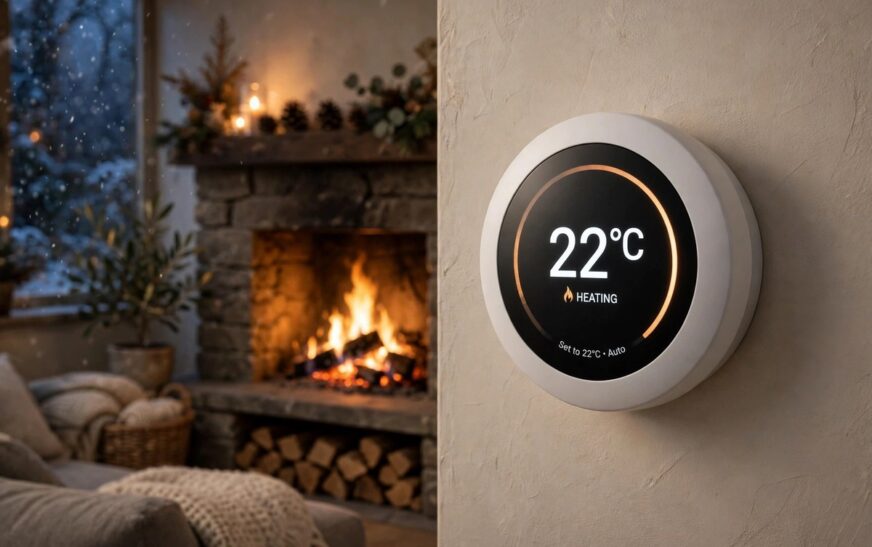
A good smart thermostat schedule winter plan is the cheapest heating upgrade you can make, because it costs nothing and starts working on the first night. Most people buy a smart thermostat and then run it like an old dial, holding one temperature all day and all night, which wipes out most of the savings the thermostat was built to deliver. This guide shows you how to build a four block winter schedule, adapt it for heat pumps, boilers and working from home, and check that it is actually cutting your bill.
Why a Smart Thermostat Schedule Winter Plan Beats One Fixed Temperature
Your home loses heat faster when the gap between inside and outside is large. Hold 20°C (68°F) around the clock while it is freezing outside and your boiler or furnace runs constantly to replace the heat escaping through walls, windows and the roof. The Energy Saving Trust guide to reducing home heat loss is a useful external reference for the insulation and draught proofing steps that make any schedule work harder. Drop the temperature a few degrees while you sleep or while nobody is home and heat loss slows, so the system runs less and your bill falls. The US Department of Energy states that turning a thermostat back 7 to 10 degrees Fahrenheit for 8 hours a day can save up to 10 percent a year on heating costs, and each degree you raise the thermostat adds roughly 3 percent to the bill over the season. If you are still choosing the thermostat itself, our guide to the best smart thermostat for UK homes compares the models that handle schedules, sensors and boiler control best.
The Four Block Winter Schedule That Works for Most Homes
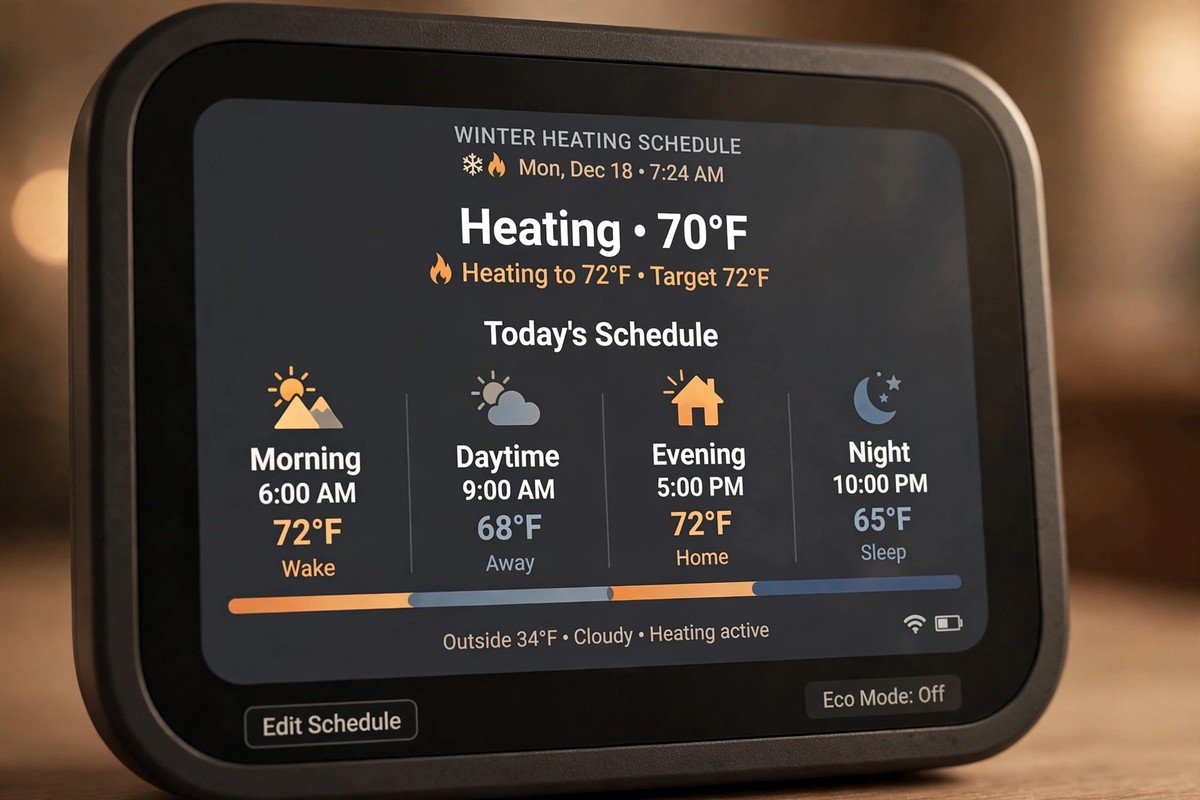
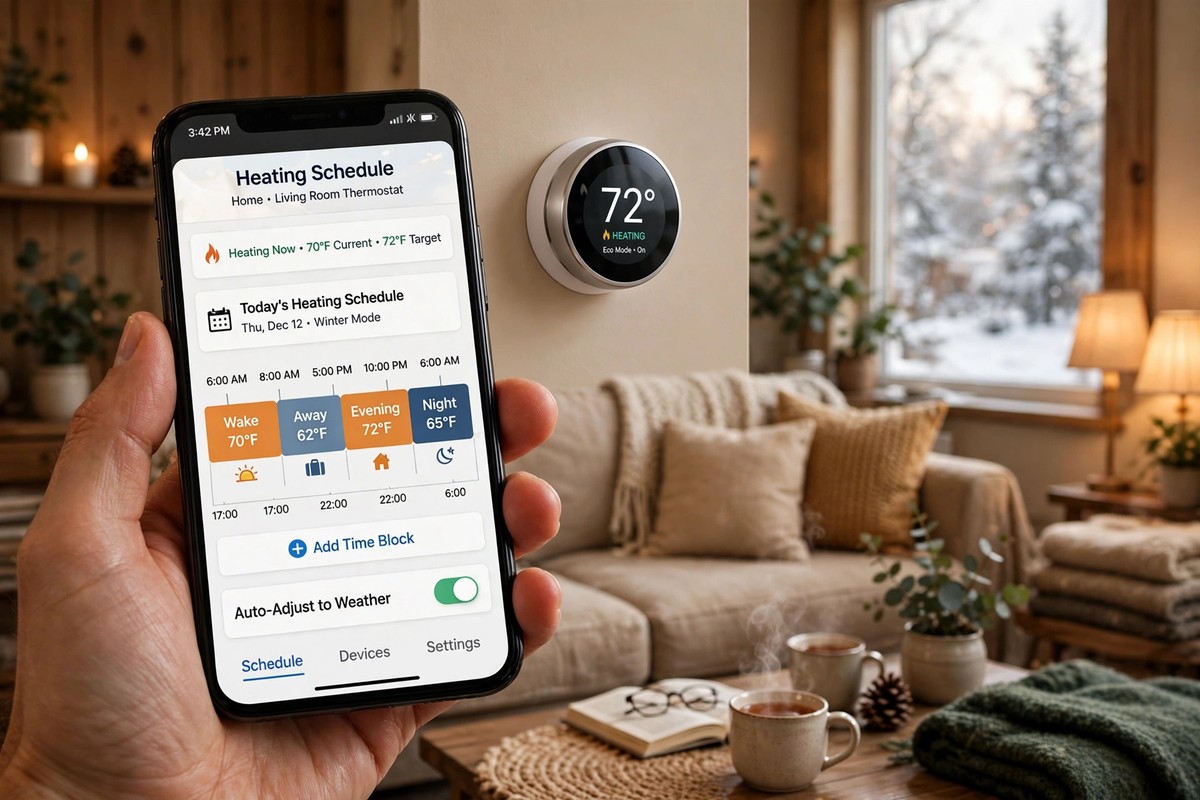
Divide the day into four blocks and give each one a temperature. The times below suit a household that wakes around 6.30 am, leaves for work or school, returns in the late afternoon and sleeps around 10.30 pm. Shift the times to match your own routine rather than copying them exactly.
| Block | Time | Temperature | Why |
|---|---|---|---|
| Morning wake | 6.00 to 8.30 am | 20°C (68°F) | Warm house to wake up to |
| Daytime away | 8.30 am to 4.30 pm | 17°C (62°F) | Empty house needs no comfort heat |
| Evening home | 4.30 to 10.30 pm | 20°C (68°F) | Comfort hours at home |
| Overnight sleep | 10.30 pm to 6.00 am | 17 to 18°C (62 to 65°F) | Blankets do the work |
That is 16 hours a day at a reduced temperature. Over a full winter the furnace or boiler runs noticeably less than it would holding 20°C around the clock, and the house still feels warm whenever you are actually in it. Set the morning block to start 30 minutes before you wake, and the evening block to start 30 minutes before you get home, so the temperature arrives when you do instead of 30 minutes late.
Weekend Schedules Need Their Own Settings
Almost every competitor guide we checked gives one weekday schedule and stops there. That is a gap, because weekends break the pattern. If your household sleeps until 9 am on Saturday and stays home all day, a weekday schedule wastes heat warming an empty house at 6 am and then drops the temperature while everyone is sitting on the sofa. Build a separate weekend schedule: push the morning warm up to 30 minutes before your weekend wake time, hold 19 to 20°C through the day while people are home, and keep the same overnight setback. Most apps let you copy the weekday schedule and shift the times, which takes about two minutes.
How to Program the Schedule in the App, Step by Step
The exact menus differ by brand, but the flow is the same on Nest, Ecobee, Hive and Honeywell. Open the app, find the schedule screen, and create the four blocks above with their times and temperatures. Copy the weekday pattern to Saturday and Sunday and shift the wake time later. Turn on smart recovery if your model offers it, set a hold or away temperature of 16 to 17°C (60 to 62°F) for trips, and check whether your thermostat has a separate holiday mode for longer absences. Let it run for two days, then check comfort at wake up and at home time, and adjust one block at a time.
Smart recovery deserves a special mention. Without it, the thermostat fires the heat at full power at 6 am and the house overshoots to 21 or 22°C. With it, the system starts gently and reaches 20°C exactly at wake time, so enable it before winter starts if your thermostat offers it.
Heat Pump Homes Need Gentler Setbacks
If your home heats with a heat pump rather than a gas boiler or furnace, do not copy the deep setbacks above. A heat pump recovers slowly, and a large jump can trigger expensive backup electric heat that wipes out the savings. Keep setbacks to 2 or 3 degrees, for example 20°C while home and 18°C overnight, and use your thermostat’s heat pump smart recovery mode if it has one. The Ecobee vs Nest energy savings comparison is worth a read here, because both brands handle heat pump recovery differently.
UK homes with combi boilers and radiators sit between the two cases. A gas boiler recovers faster than a heat pump, so a 7 to 10 degree Fahrenheit setback is usually fine, but set radiator valves in unused rooms a notch lower than the rooms you live in so they do not fight the schedule.
Work From Home and Shift Worker Schedules
The standard four block schedule assumes an empty house during the day. If you work from home, that assumption fails, and none of the top ranking guides cover it properly. The fix is a daytime home block of 18 to 19°C (64 to 66°F) with warm layers, plus a small heater in the room you actually work in, rather than heating the whole house to 20°C. Close the doors of unused rooms and let them sit cooler. For more ideas, see our roundup of smart home gadgets that lower energy bills. Shift workers should build the schedule around their sleep, not the clock: set the sleep block for the hours you are actually in bed, even if that is 9 am to 5 pm, and set the warm up to start 30 minutes before you wake.
Eco Mode, Away Mode and Geofencing Done Properly
Most smart thermostats ship with eco and away modes that owners never configure, so the factory defaults quietly waste money. Set eco heating to 17°C (62°F), matching your daytime away temperature, and let it engage on occupancy sensing rather than a timer if your model supports it. Geofencing uses your phone’s location to switch the thermostat to away when the last person leaves and back to home when the first person returns. Every adult needs the thermostat app installed with location set to always allow, because this skipped step is why geofencing never works for most families. Set away to 16 to 17°C (60 to 62°F), which keeps pipes safe on multi-day trips while recovering quickly. Never turn the system fully off for a trip, because off means no freeze protection. For trips longer than two days, use holiday mode and hold at least 13°C (55°F), the floor below which pipes in exterior walls start to be at risk, especially in older homes.
Mistakes That Erase the Savings
Cranking the thermostat to 26°C (80°F) to heat faster is the most common mistake. Thermostats are not throttles. Setting a high temperature does not warm the house faster than setting the target you actually want, it just overshoots and wastes energy.
Forgotten manual overrides are the second leak. Holding 22°C for one cold evening is fine, but forgetting to cancel it wastes energy for weeks, because the schedule stops working until you resume it. Check the display after you bump the temperature up to confirm whether the hold is temporary or permanent.
Finally, check the basics once a season. A thermostat near a sunny window, a drafty hallway, a heat vent or a table lamp reads a lie and heats the house based on it, so keep it away from heat sources and replace the furnace filter every one to three months during the heating season. For help tracking what each device actually uses, our guide to the best smart plugs with energy monitoring shows how to measure real consumption room by room.

Conclusion
A smart thermostat schedule winter plan works because it matches heat to your life instead of fighting it. Program four blocks, build a separate weekend schedule, keep heat pump setbacks gentle, and use eco and geofencing for the irregular days. Most smart thermostats produce monthly energy reports, so after the first month check that heating runtime is lower than the same month last year and that the report shows clear dips during your away and sleep blocks. Done that way, the house is warm when you wake and when you get home, and the heating bill shows the difference all winter.
Frequently Asked Questions
What is the best smart thermostat schedule for winter?
The best smart thermostat schedule for winter uses four blocks: 20°C (68°F) in the morning, 17°C (62°F) while the house is empty, 20°C (68°F) in the evening, and 17 to 18°C (62 to 65°F) overnight. Start the warm up 30 minutes before you wake or return home, and build a separate weekend schedule with later wake times.
What temperature should I set my smart thermostat to at night in winter?
Set 17 to 18°C (62 to 65°F) overnight. Most people sleep better in a cooler room, and blankets cover the difference. Never drop below 13°C (55°F) for long periods, because pipes in exterior walls can be at risk in older homes.
How low can I set my smart thermostat in winter without freezing pipes?
Hold at least 13°C (55°F) when the house is empty for several days, and treat 16°C (60°F) as the safer minimum in hard freeze areas or homes with old pipes and thin insulation. Use away or holiday mode rather than switching the system fully off.
Should I turn my smart thermostat off when I go away in winter?
No. Turning it off removes freeze protection and makes recovery slow and expensive. Use away mode at 16 to 17°C (60 to 62°F) for short trips and holiday mode at 13°C (55°F) or above for longer ones.
Do smart thermostat schedules work with heat pumps?
Yes, but keep setbacks small. Limit heat pump setbacks to 2 or 3 degrees, such as 20°C while home and 18°C overnight, and enable heat pump smart recovery so the system does not call expensive backup electric heat during the warm up.