
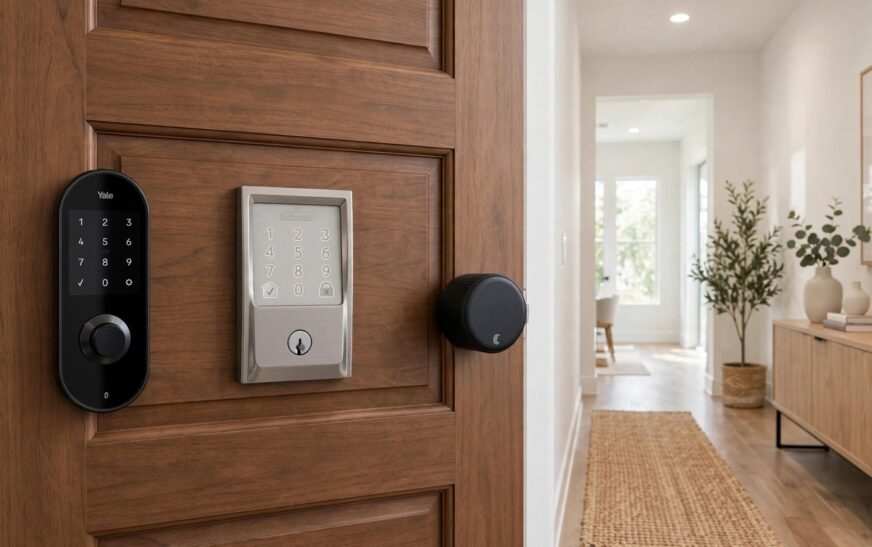
The Yale vs Schlage vs August smart lock debate comes down to one question: do you want to replace your deadbolt, or keep it? Yale and Schlage replace the whole deadbolt with a keypad unit, while August keeps your existing deadbolt and keys and simply motors the inside thumb turn. That single difference shapes the install, the guest access, the security rating and, for renters, whether you need your landlord’s permission at all.
This guide compares the three flagship models head to head: the Yale Assure Lock 2, the Schlage Encode Plus and the August Wi-Fi Smart Lock (4th Gen). Prices below are typical ranges at time of writing, not live quotes, so check the current price before you buy. All three work with Alexa and Google Home, and all three give you keyless entry, but they suit very different doors and households.
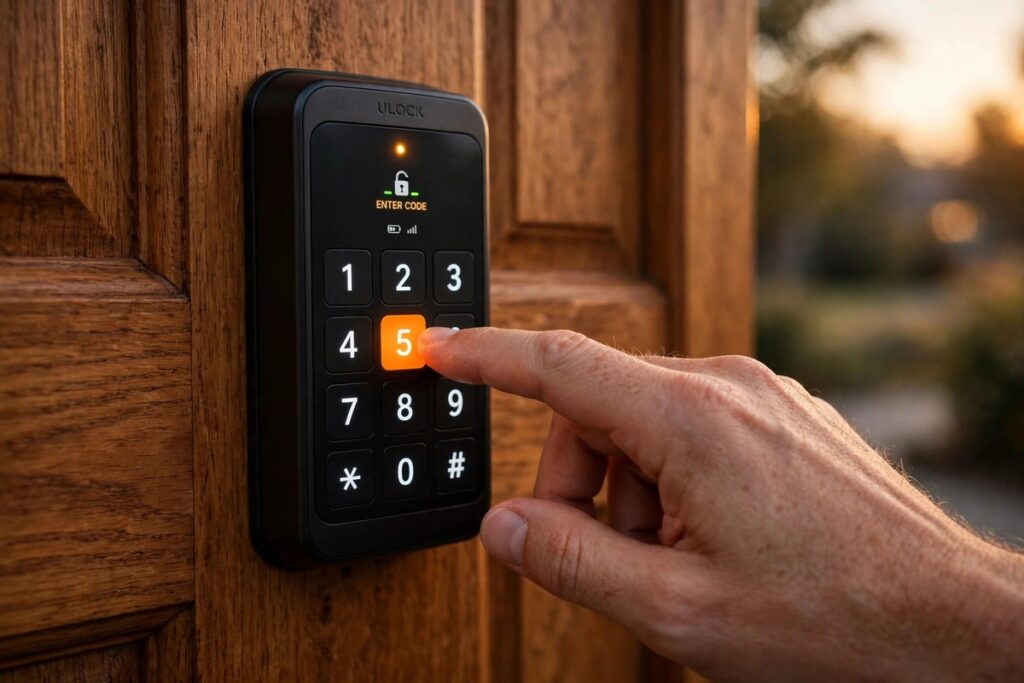
Yale vs Schlage vs August Smart Lock: At a Glance
| Feature | Yale Assure Lock 2 | Schlage Encode Plus | August Wi-Fi (4th Gen) |
|---|---|---|---|
| Type | Full deadbolt replacement | Full deadbolt replacement | Retrofit, keeps your deadbolt |
| Keypad | Yes, touchscreen or push button | Yes, illuminated keypad | No, optional keypad accessory |
| Physical key | Keyed or key free versions | Yes, key backup | Yes, your existing key |
| Built in Wi-Fi | Wi-Fi model, or module based | Yes, no hub needed | Yes, no bridge needed |
| Apple Home Key | No, HomeKit via module | Yes, tap iPhone or Apple Watch | No |
| Security grade | ANSI/BHMA Grade 2 | ANSI/BHMA Grade 1, the highest residential rating | Uses your existing deadbolt grade |
| Access codes | Up to 250 codes | Up to 100 codes | Unlimited app guests, no built in codes |
| Door position sensor | Door Sense on Plus models | No | Yes, DoorSense included |
| Best for | All round homeowners | Apple households and security first buyers | Renters and keep your keys buyers |
If you only remember one row, remember the type row. Everything else in this Yale vs Schlage vs August smart lock comparison flows from whether you swap the deadbolt or keep it.
Measure Before You Buy: The Door Compatibility Checklist
None of the big comparison pages gives this properly, and it is the step that prevents returns. Work through it before ordering any of the three.
First, check your door thickness and backset, the distance from the door edge to the centre of the bore hole. Most of these locks suit standard doors, but thick, thin or non standard doors can need an adapter kit. Second, look at your existing deadbolt: August only works if you already have a compatible single cylinder deadbolt with a thumb turn inside. If your door has no deadbolt, August is not an option and you need Yale or Schlage. Third, check door alignment. A door that sticks, sags or needs a push to latch will drain batteries and strain any smart lock motor, so fix the strike plate and hinges first. Fourth, check Wi-Fi strength at the door, because a lock with a weak signal will show as offline at exactly the wrong moment. If your router is far from the front door, sort that before you blame the lock.
For UK buyers, add one more check: confirm UK availability, warranty and support for the exact model and finish you want, because some US models and modules differ from UK stock. Also confirm your door type, since UK front doors, composite doors and multi point locking doors do not all suit a standard US deadbolt swap. If you have a multi point system, get advice from the lock maker or a locksmith before ordering a replacement deadbolt.
Yale Assure Lock 2: The All Rounder
Yale wins the all rounder slot because it is flexible. You choose a touchscreen or push button face, a keyed or key free body, and a connectivity module that fits your smart home. The Wi-Fi model connects directly with no bridge, while other modules add Z-Wave or Matter, so you can change ecosystems later without buying a new lock. That modular approach is genuinely useful if you are not sure whether your household will stay on Apple, Google or Alexa.
The touchscreen face is the cleanest looking of the three, a black panel that only lights up when you tap it, and the slim body suits doors where a chunky keypad would look wrong. Guest management is strong, with up to 250 codes and scheduling in the Yale app, so cleaners, dog walkers and family members can each have their own code. The catch is the door position sensor: Door Sense, which tells you whether the door is actually shut, comes on Plus models rather than as standard on every version, so check the exact model before you buy. Battery life is typically around three months on four AA batteries in competitor testing, which is shorter than Schlage, so keep spare batteries by the door.
Schlage Encode Plus: The Security and Apple Pick
Schlage is the pick if physical security and Apple Home matter most. It is the only lock here with an ANSI/BHMA Grade 1 deadbolt, the highest residential rating, and the only one with Apple Home Key, so you tap an iPhone or Apple Watch on the lock to open it, with no app and no code. Built in Wi-Fi means no hub, and the illuminated keypad is easy to use at night and in bad weather.
The trade offs are price, bulk and the missing door sensor. Schlage is usually the most expensive of the three, the interior unit is chunkier than Yale, and unlike August it cannot tell you whether the door is shut, only whether it is locked. That distinction matters: a locked door that is ajar is not a secure door. If you want a keypad, a Grade 1 body and tap to unlock in one unit, Schlage still wins, but do not buy it for a rental you cannot modify, and do not buy it if you need a door position sensor above all else.
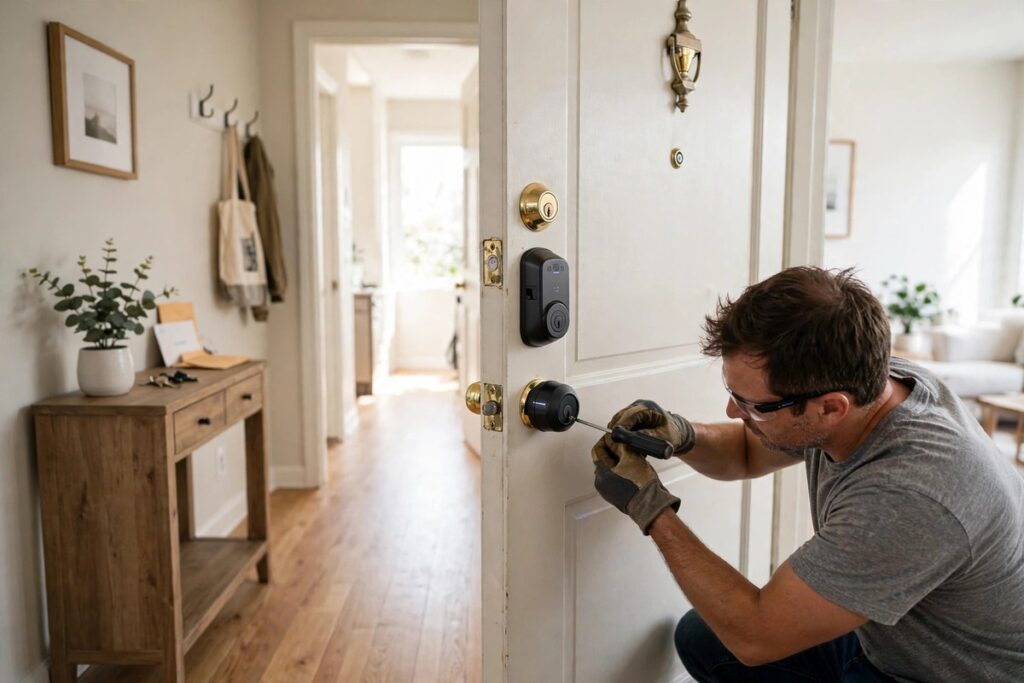
August Wi-Fi Smart Lock: The Renter Pick
August is a different product, not a lesser version of the other two. It mounts on the inside of your existing deadbolt, so the outside of the door, the cylinder and every physical key stay exactly as they are. Install takes minutes, it reverses cleanly at the end of a tenancy, and your landlord’s master key still works. Built in Wi-Fi gives remote lock and unlock with no bridge, and DoorSense tells you whether the door is open, closed or ajar, which is the sensor Schlage lacks.
The limits are honest and worth stating plainly. There is no built in keypad, so a guest without the app needs your physical key or the optional keypad accessory. The interior unit is large, and battery life on two CR123 cells is typically three to six months with Wi-Fi active, so it needs more frequent battery changes than a wired option. There is also no Matter path, so you live in the August app plus your voice assistants. For renters, those limits are a fair trade for a lock you can take with you. For homeowners who want codes for everyone, Yale or Schlage fits better.
Renters should still ask in writing, even though August does not change the exterior. A short message to your landlord, saying the lock fits inside only, keeps your keys working and reverses on move out, prevents most disputes. On move out, remove the August, refit the original thumb turn, remove guests from the app, and factory reset the lock before handing it to the next home. For wider front door security, our guide to outdoor security cameras without a subscription pairs well with any of these locks.
Guest Access Done Properly
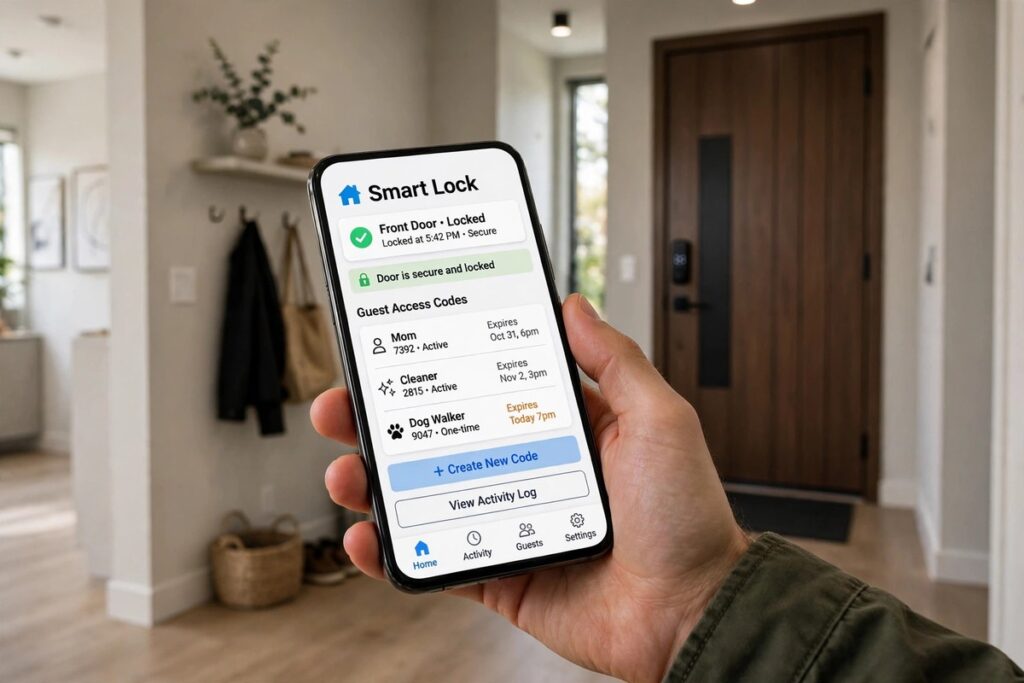
Guest access is where a smart lock earns its keep, and where most owners get sloppy. Give every person their own code or app guest account, never share one code for the whole household, and set schedules for cleaners and contractors so their access ends when the job ends. Check the activity log once a week at first, and remove access the day someone moves out or a contractor finishes, not at some later tidy up.
On Yale and Schlage this means named codes with expiry dates. On August it means app guests, because there is no built in keypad code to share, so decide before you buy whether your regular guests will happily use an app. If they will not, budget for the August keypad accessory or choose Yale or Schlage instead. Our comparison of the eufy vs Ring security camera system options covers the same guest and privacy logic for cameras, and our list of smart home security mistakes to fix is worth reading before you hand out any access.
What Happens When Things Go Wrong
Plan for failure before it happens. Dead batteries are the most common failure: keep the physical key accessible (Yale keyed models and Schlage both have one, August keeps your existing key), keep spare batteries in the house, and turn on low battery alerts in the app. If Wi-Fi drops, Yale and Schlage keypads still work locally with codes, while August still works with its physical key and, at close range, Bluetooth. If you lose your phone, you need a second way in, so keep a key with a trusted neighbour or a lockbox, and make sure another household member has admin access in the app.
Auto lock needs care too. Yale’s auto lock can engage even if the door has not fully latched, unless you have Door Sense, and August’s DoorSense exists precisely to prevent that false sense of security. Whichever lock you choose, set a sensible auto lock delay, test it with the door ajar, and never rely on auto lock alone on a warped or sticking door. Security hygiene matters as much as hardware: use a unique password for the lock app, turn on two factor authentication, and keep firmware updated. The Matter standard is worth understanding here, because it is the industry standard that helps devices from different brands work together reliably, and our Matter vs Thread explained guide covers which standard matters for a lock that must keep working if you switch platforms.
Which Yale vs Schlage vs August Smart Lock Should You Buy?
Buy the Yale Assure Lock 2 if you own your home, want a keypad, want every major ecosystem covered and want a Matter upgrade path without buying a new lock later. Buy the Schlage Encode Plus if you live in Apple Home, want tap to unlock and want the strongest deadbolt hardware of the three, and you accept the premium price and the lack of a door position sensor. Buy the August Wi-Fi Smart Lock if you rent, if you refuse to change the outside of your door, or if keeping your existing keys matters more than having a keypad.
Conclusion: The Yale vs Schlage vs August Smart Lock Verdict
There is no single winner in the Yale vs Schlage vs August smart lock showdown, because the right lock depends on your door, not just the spec sheet. Yale is the best all rounder for homeowners, Schlage is the best security and Apple pick, and August is the only sensible pick for renters. Measure your door, decide whether you can swap the deadbolt, pick the lock that matches that answer, and then set up guest access and battery alerts properly on day one. Do that, and whichever of the three you choose will feel like the obvious choice every time you walk up to your own front door.
Frequently Asked Questions
Is the Yale vs Schlage vs August smart lock choice different for renters?
Yes, completely. August is the only one of the three that does not change the outside of the door or your keys, so it is the renter pick. Yale and Schlage are full deadbolt replacements and normally need landlord permission first.
Which lock is best for an Apple Home household?
Schlage Encode Plus, because it adds Apple Home Key tap to unlock on a Grade 1 deadbolt. Yale works with Apple Home through a module, and August works with Apple Home on select configurations, but neither offers Home Key tap to unlock.
Does August need a keypad to let guests in?
Not if guests use the August app, but a guest without the app needs your physical key or the optional August keypad accessory. If most of your guests will not use an app, Yale or Schlage with built in codes fits better.
Do I need Matter for a smart lock in 2026?
Not strictly. All three locks work with Apple Home, Alexa and Google Home today without Matter. Matter mainly buys future proofing if you switch phones or hubs later, and only Yale offers it here, via a separate module.
What should I check before buying any of these locks?
Door thickness and backset, whether you already have a compatible deadbolt for August, door alignment, Wi-Fi strength at the door, and for UK buyers, UK availability and support for the exact model. Fix a sticking door before fitting any smart lock motor.