
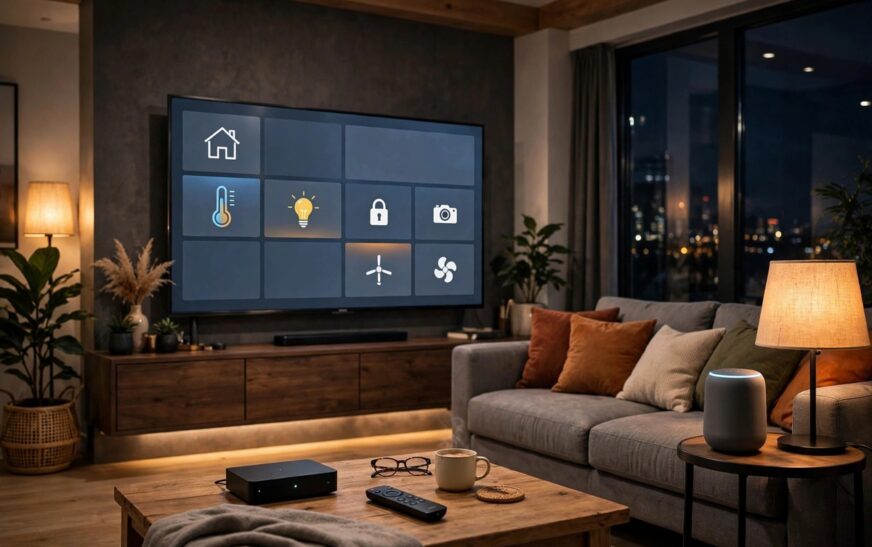
Choosing between Fire TV vs Google TV for smart home use is less about which one streams films better and more about which assistant already runs your house. Both play the big apps in 4K, both answer voice commands from the sofa, and both cost far less than a new television. The real difference shows up when you ask the TV to dim the lights, show the doorbell camera, or run the goodnight routine. This guide compares the two platforms as smart home controllers first and streaming boxes second, so you buy the one that fits the home you already own.
Fire TV vs Google TV for Smart Home: The Short Answer
Pick Google TV if your home runs on Google Home, Nest speakers, or an Android phone. The Google TV Streamer is the only streaming box here with a built in Matter controller and Thread border router, which means it can run Matter over Thread gadgets directly and show them on the TV home panel.
Pick Fire TV if your home runs on Alexa, Echo speakers, or Ring cameras. Alexa is the deeper smart home assistant of the two, with more device types, more routines, and the strongest camera and doorbell support on the TV. A Fire TV Stick cannot act as a Matter and Thread hub, but in an Alexa home that rarely matters, because an Echo speaker or Echo Hub usually fills that role already.
Smart Home Hub Comparison: Matter, Thread, and What Each Box Actually Controls
The hub question is where most comparisons stop too early. A streaming box is only a hub if it contains the right radios, and here the two platforms split cleanly.
| Feature | Google TV Streamer 4K | Fire TV Stick 4K Max |
|---|---|---|
| Smart home hub | Yes: Matter controller and Thread border router built in | No: no Matter or Thread hub listed in the specs |
| Voice assistant | Google Assistant with Gemini for TV | Alexa |
| TV home panel | Yes: long press Home on the remote to control devices on screen | Yes: Alexa smart home controls and camera feeds on screen |
| Camera and doorbell on TV | Nest cameras and doorbells in Google Home | Ring cameras and doorbells, plus Echo Show style announcements |
| Storage | 32 GB | 16 GB |
| RAM | 4 GB | 2 GB |
| Wi-Fi | Wi-Fi 5 (802.11ac) | Wi-Fi 6E |
| Ethernet | Gigabit port built in | Only with a separate adapter (10/100 Mbps) |
| Picture | 4K at 60 fps, Dolby Vision, HDR10, HDR10+, HLG | 4K, Dolby Vision, HDR10, HDR10+, HLG |
If you are starting a smart home from scratch, the Google TV Streamer gives you more for the money as a hub, because it removes the need to buy a separate Thread border router for battery powered Matter sensors and locks. If you already own Echo speakers, check your home first: many Echo devices already include a Thread border router, so a Fire TV Stick slots into a working system without any extra hub. Our Matter vs Thread explained guide covers which of your existing devices already does this job.
Alexa vs Google Assistant on the TV
Alexa wins on breadth. It controls more smart home brands, handles more complex routines, and pairs naturally with Ring doorbells and cameras, so a visitor announcement or a live feed on the TV feels instant. If your household already says “Alexa, goodnight” to lock up and switch off the lights, Fire TV keeps that habit on the biggest screen in the house.
Google Assistant wins on conversation and on casting. You can ask follow up questions in natural language, and the Gemini powered search on Google TV is better at finding something to watch across apps. Google Cast is built in, so starting a video on your phone and sending it to the TV works in most apps. Fire TV sticks do not support Google Cast, which is a genuine daily annoyance for Android households.
Which Cameras and Doorbells Show Up on Your TV?
This is the test most buyers forget until after they have bought. On Fire TV, Ring cameras and doorbells are first class citizens: ask Alexa to show the front door and the feed appears, and motion announcements can pop up while you watch. That is one reason Ring owners rarely switch platforms. Our eufy vs Ring security camera system comparison explains the subscription trade offs behind that choice.
On Google TV, Nest cameras and doorbells play the same role inside Google Home, and the on screen home panel lets you check locks, lights, and thermostats without reaching for your phone. If your cameras are a mix of brands, check Matter support rather than brand loyalty: a Matter camera or sensor can appear in either ecosystem, while a brand locked camera usually cannot. For cameras that record without a monthly fee, see our guide to the best outdoor security camera without subscription.
Routines, Rooms, and Mixed Households
Most real homes are mixed: one partner on Android, one on iPhone, an Echo in the kitchen, and a Nest speaker in the bedroom. In that case, pick the platform that controls the devices in the room with the TV, not the platform you like in theory. A single voice command that fails in the living room will annoy you far more than a slightly busier home screen.
Two practical rules help. First, keep one assistant per room where possible, so commands never go to the wrong system. Second, use Matter devices for anything new, because Matter gear can be shared across Google Home, Alexa, and Apple Home at once, which protects you if you switch platforms later. And whatever you buy, lock down the accounts behind it: our guide to smart home security mistakes covers the password and two factor steps that matter most.
Price, Hardware, and the Vega OS Warning
Prices moved sharply in autumn 2026, so treat every figure here as a guide and check the current price before buying. At the time of writing, the Google TV Streamer lists around $149.99 in the US and around £99 in the UK, while the Fire TV Stick 4K Max lists higher than its old price after the same memory cost rises. The newer Fire TV Stick 4K (3rd Gen, launched 30 September 2026) is the cheaper 4K Fire option at $59.99, but it runs Vega OS instead of Fire OS, which means it cannot sideload Android apps, and it drops Dolby Vision. If your TV supports Dolby Vision, buy the 4K Max or the Google TV Streamer instead.
Also budget for the hidden extras. The Google TV Streamer needs a certified HDMI 2.1 cable, sold separately, as the official Google TV Streamer specs confirm, while a Fire TV Stick plugs straight into the TV. On the other hand, the Streamer includes gigabit Ethernet, while a Fire TV Stick needs a paid adapter for wired internet.
Verdict: Which Should You Buy?
Buy the Google TV Streamer if you run Google Home, want a built in Matter and Thread hub, cast from your phone daily, or are building a smart home from nothing. Buy the Fire TV Stick 4K Max if you run Alexa, own Ring cameras, want the lowest cost 4K option with Dolby Vision, or live mostly inside Prime Video. Either way, buy for the assistant and the cameras you already own, not for the streaming apps, because those are nearly identical on both.

Conclusion
For most smart homes, Fire TV vs Google TV for smart home use comes down to one question: Alexa or Google? Google TV is the better hub in a box, and Fire TV is the better fit for Alexa and Ring households. Answer that question honestly, check the current prices, and the right box picks itself.
Frequently Asked Questions
Can a Fire TV Stick act as a smart home hub?
Not as a Matter and Thread hub: Amazon does not list Matter or Thread hub support for Fire TV Sticks. In an Alexa home, an Echo speaker, Echo Hub, or similar device usually provides the hub role instead, so the stick still controls your devices through Alexa.
Does the Google TV Streamer work with Alexa devices?
It works alongside them, but it does not replace them. The Streamer is a Google Home device with Matter and Thread built in, so Matter gadgets paired to it can also appear in Alexa, but Alexa only devices and routines stay in the Alexa app.
Can I see my doorbell camera on both platforms?
Yes, but each platform favours its own brand. Ring cameras show best on Fire TV through Alexa, and Nest cameras show best on Google TV through Google Home. Mixed brand cameras depend on Matter support or their own app.
Do I need a separate hub if I buy the Google TV Streamer?
For Matter over Thread devices, no: the Streamer is a Thread border router and Matter controller. For Zigbee devices or older brand locked gear, you may still need that brand’s bridge, just as you would with any hub.
Which is cheaper in the long run, Fire TV or Google TV?
The Fire TV Stick 4K Max usually costs less up front, but neither platform charges a monthly fee for its smart home features. Long run cost depends on the cameras, sensors, and subscriptions you add around it, so compare the whole system, not just the stick or box.